 4a3e3e6403 * initial debugging and testing works * pwais changes with RayBatchStream to alleviate training * few bugs to iron out with multiprocessing, specifically pickled collate_fn * working version of RayBatchStream * additional docstrings * cleanup * much more documentation * successfully trained AEA-script2_seq2 closed_loop without OOM * porting over aria dataset-size feature * added logic to handle eviction of a worker's cached_collated_batch * antonio's implementation of stream batches * training on a dataset with 4000 images works! * some configuration speedups, loops aren't actually needed! * quick fix adjustment to aria * removed unnecessary looping * much faster training when adding i variable to collate every 5 ray bundles * cleanup unnecssary variables in Dataloader * further cleanup * adding caching of compressed images to RAM to reduce disk bottleneck * added caching to RAM for masks * found fast way to collate - many tricks applied * quick update to aria to test on different datasets * cleaned up the accelerated pil_to_numpy function * cleaning up PR * this commit was used to generate the time metrics and profiling metrics * REAL commit used to run tests * testing with nerfacto-big * generated RayBundle collate and converting images from uint8s to float32 on GPU tests * updating nerfacto to support uint8 easily, will need to figure out a way to contain this within the datamanager API * datamanager updates, both splat and nerf * must use writeable arrays because torch requires them * cleaned up base_dataset, added pickle to utils, more code in full_image, and cleaner desc for base_datamanager * lots of process on a parallel FullImageDatamanger * can train big splats with pre-assertion hack or ROI hack and 0 workers * fixed all undistortion issues with ParallelImageDatamanager * adding some downsampling and parallel tests with splatfacto! * deleted commented code in dataloaders.py and added bugfix to shuffling * testing splatfacto-big * cleaned up base_pipeline.py * cleaned up base_pipeline.py ACTUALLY THIS TIME, forgot to save last time * cleaned up a lot of code * process_project_aria back to main branch and some cleanup in full_image_datamanager * clarifying docstrings * further PR cleanup * updating models * further cleanup * removed caching of images into bytestrings * adding caching of compressed images to RAM, forgot that hardware matters * removing oom methods, adding the ability to add a flag to dataloading * removed CacheDataloader, moved RayBatchStream to dataloaders.py, new vanilla_datamanager rewritten * fixing base_piplines, deleting a weird datamanager_configs file that was accidently created * cleaning up next_train * replaced parallel datamanager with new datamanager * reverted the original base_datamanager.py, new datamanager replaced parallel_datamanager.py * modified VanillaConfig, but VanillaDataManager is the same as before * cleaning up, 2 datamanagers now - original and new parallel one * able to train with new nerfstudio dataloader now * side by side datamanagers, moved tons of logic into dataloaders.py and created new files for our parallel datamangers * added custom ray processing API to support implementations like LERF, cleaned up FullImageDatamanager to original because of new ParallelImageDatamanger * adding functionality for ns-eval by adding FixedIndicesEvalDataloader to the setup_eval * adding both ray API and image-view API to datamanagers for custom parallelization * updating splatfacto config for 4k tests * updating docstrings to be more descriptive * new datamanager API breaks when setup_eval() has multiple workers, not sure why but single worker will have to do * adding custom_view_processor to ImageBatchStream * reverting full_images_datamanager to main branch * removing nn.Module inheritance from Datamanager class * don't need to move datamanger to device anymore since Datamanager is not a subclass of nn.Module * finished integration test with nerfacto * simplified config variables, integrated the parallelism/disk-data-loading all into one datamanager * updated the splatfacto config to be simpler with the dataloading and now uses FullImageDatamanager (which has been changed) * style checks and some cleanup * new splatfacto test, cleaning up nerfacto integration test * removing redundant parallel_full_images_datamaanger, as the OG full_image_datamanager now has full parallelized support * ruff linting and pyright fixing * further pyright fixing * another pyright fixing * fixing pyright error, camera optimization no longer part of datamanager * fixing one pyright * fixing dataloading error when camera is not undistorted with dataloader * fixing comments and updating style * undoing a style change i made * undoing another style change i made by accident * fixing slow runtime * fixing a more general camera undistortion bug * move images to device properly * minor improvements * add print statement about >500 images, cleanup method configs * make method configs consistent across nerfacto models * adding description comments * updating description * resolving some pyright issues with export.py, explained in PR desc * fixing pyright issues in base_pipeline.py * ran pyright on exporter and base_pipeline.py without issues * adding a git ignore to a clearly checked pyright issue * typo * fixing most ns-dev-test cases * cleanup, passing final ns-dev-test * oops, accidentally pushed the deletion of a docstring, undoing that * another cleanup * some fixes to eval pipeline * lint * add asserts for spawn * lint * cleaning up import statements in parallel_datamanager.py * adding new developer documentation if users would like to migrate their custom datamanagers to support new features * removing unnecessary to_device no-op * further updates to documentation * lint * more docs * docs * remove comment * add docs, fix depth dataset with parallel datamanager, fix mask sampling bug * remove profiling * more profile removal * custom_view_processor->custom_image_processor * doc clarification * datamanager doc nit * whitespace * nits * remove stuff from __post_init__, tune num workers more, add random offset in raybatchstream * removing unnecessary assertion, updating docstring because DataManager is no longer an nn.Module * clarifying configuration with num_images_to_sample_from and num_times_to_repeat_images, cleaning up functions * adding logic so that nerfacto users can load_from_disk and customize image batch sizes and repeat parameters * ruff formatting! whoops forgot to format * fixing logic, now if users set load_from_disk to true, datamanager will use 50 and 10. If users set it and specify their own values, we support that as well * adding separate datamanager config so that target can be removed in method_configs --------- Co-authored-by: Justin Kerr <justin.g.kerr@gmail.com> Co-authored-by: Brent Yi <yibrenth@gmail.com> |
||
|---|---|---|
| .devcontainer | ||
| .github | ||
| .vscode | ||
| colab | ||
| docs | ||
| nerfstudio | ||
| tests | ||
| .dockerignore | ||
| .gitattributes | ||
| .gitignore | ||
| .pre-commit-config.yaml | ||
| .prettierrc.js | ||
| Dockerfile | ||
| LICENSE | ||
| pixi.lock | ||
| pixi.toml | ||
| pyproject.toml | ||
| README.md | ||



A collaboration friendly studio for NeRFs


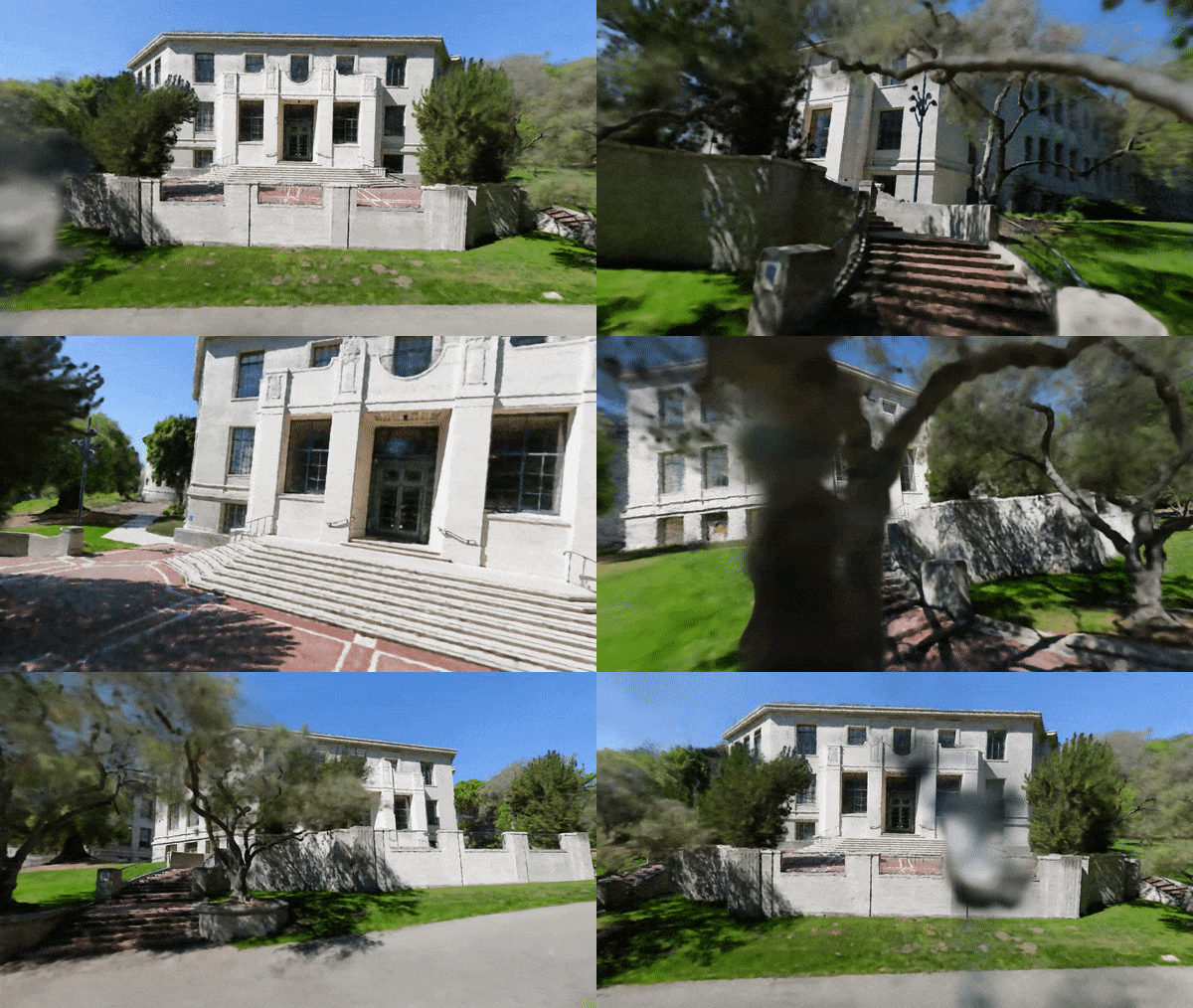
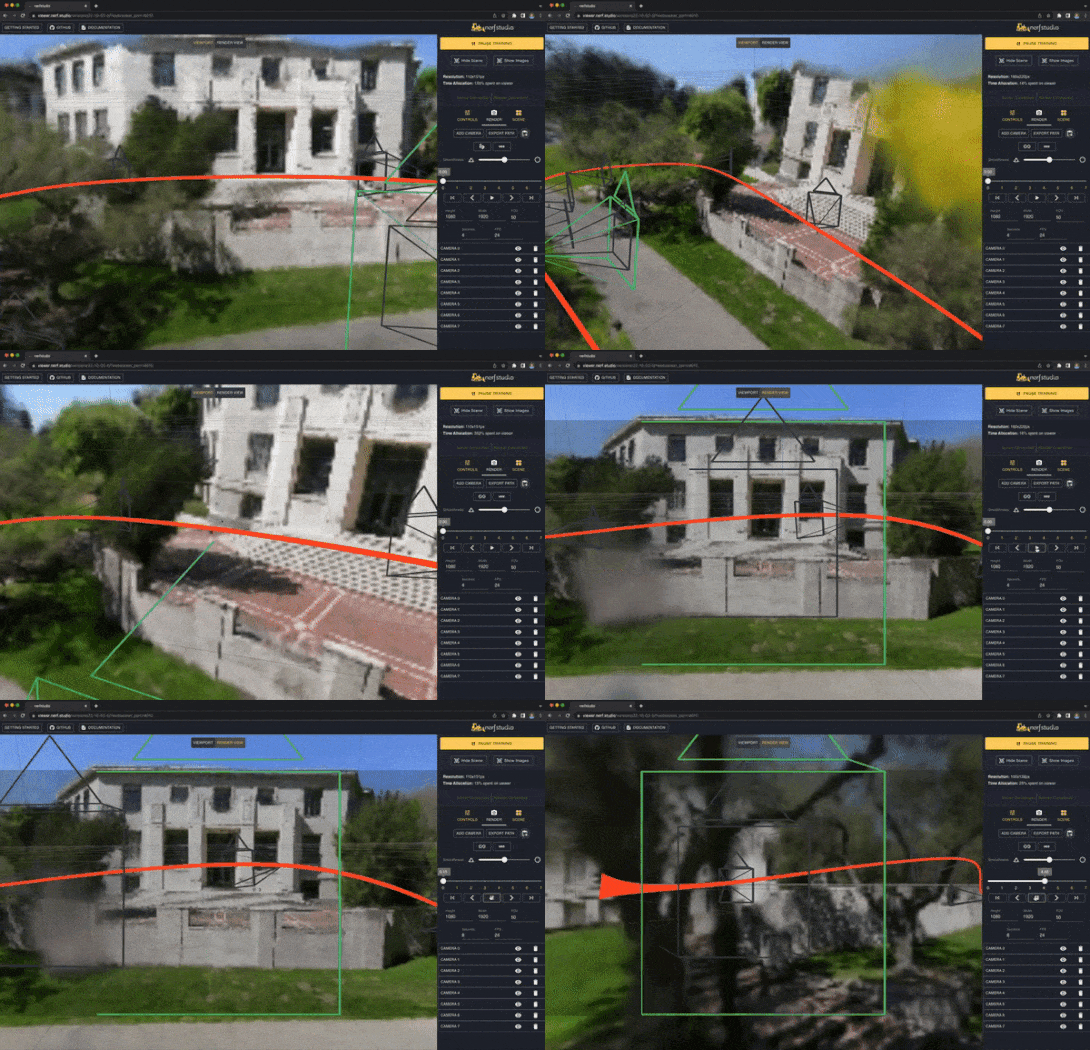
About
It’s as simple as plug and play with nerfstudio!
Nerfstudio provides a simple API that allows for a simplified end-to-end process of creating, training, and testing NeRFs. The library supports a more interpretable implementation of NeRFs by modularizing each component. With more modular NeRFs, we hope to create a more user-friendly experience in exploring the technology.
This is a contributor-friendly repo with the goal of building a community where users can more easily build upon each other's contributions. Nerfstudio initially launched as an opensource project by Berkeley students in KAIR lab at Berkeley AI Research (BAIR) in October 2022 as a part of a research project (paper). It is currently developed by Berkeley students and community contributors.
We are committed to providing learning resources to help you understand the basics of (if you're just getting started), and keep up-to-date with (if you're a seasoned veteran) all things NeRF. As researchers, we know just how hard it is to get onboarded with this next-gen technology. So we're here to help with tutorials, documentation, and more!
Have feature requests? Want to add your brand-spankin'-new NeRF model? Have a new dataset? We welcome contributions! Please do not hesitate to reach out to the nerfstudio team with any questions via Discord.
Have feedback? We'd love for you to fill out our Nerfstudio Feedback Form if you want to let us know who you are, why you are interested in Nerfstudio, or provide any feedback!
We hope nerfstudio enables you to build faster 🔨 learn together 📚 and contribute to our NeRF community 💖.
Sponsors
Sponsors of this work includes Luma AI and the BAIR commons.


Quickstart
The quickstart will help you get started with the default vanilla NeRF trained on the classic Blender Lego scene. For more complex changes (e.g., running with your own data/setting up a new NeRF graph), please refer to our references.
1. Installation: Setup the environment
Prerequisites
You must have an NVIDIA video card with CUDA installed on the system. This library has been tested with version 11.8 of CUDA. You can find more information about installing CUDA here
Create environment
Nerfstudio requires python >= 3.8. We recommend using conda to manage dependencies. Make sure to install Conda before proceeding.
conda create --name nerfstudio -y python=3.8
conda activate nerfstudio
pip install --upgrade pip
Dependencies
Install PyTorch with CUDA (this repo has been tested with CUDA 11.7 and CUDA 11.8) and tiny-cuda-nn.
cuda-toolkit is required for building tiny-cuda-nn.
For CUDA 11.8:
pip install torch==2.1.2+cu118 torchvision==0.16.2+cu118 --extra-index-url https://download.pytorch.org/whl/cu118

conda install -c "nvidia/label/cuda-11.8.0" cuda-toolkit
pip install ninja git+https://github.com/NVlabs/tiny-cuda-nn/#subdirectory=bindings/torch
See Dependencies in the Installation documentation for more.
Installing nerfstudio
Easy option:
pip install nerfstudio
OR if you want the latest and greatest:
git clone https://github.com/nerfstudio-project/nerfstudio.git
cd nerfstudio
pip install --upgrade pip setuptools
pip install -e .
OR if you want to skip all installation steps and directly start using nerfstudio, use the docker image:
See Installation - Use docker image.
2. Training your first model!
The following will train a nerfacto model, our recommended model for real world scenes.
# Download some test data:
ns-download-data nerfstudio --capture-name=poster
# Train model
ns-train nerfacto --data data/nerfstudio/poster
If everything works, you should see training progress like the following:

Navigating to the link at the end of the terminal will load the webviewer. If you are running on a remote machine, you will need to port forward the websocket port (defaults to 7007).

Resume from checkpoint / visualize existing run
It is possible to load a pretrained model by running
ns-train nerfacto --data data/nerfstudio/poster --load-dir {outputs/.../nerfstudio_models}
Visualize existing run
Given a pretrained model checkpoint, you can start the viewer by running
ns-viewer --load-config {outputs/.../config.yml}
3. Exporting Results
Once you have a NeRF model you can either render out a video or export a point cloud.
Render Video
First we must create a path for the camera to follow. This can be done in the viewer under the "RENDER" tab. Orient your 3D view to the location where you wish the video to start, then press "ADD CAMERA". This will set the first camera key frame. Continue to new viewpoints adding additional cameras to create the camera path. We provide other parameters to further refine your camera path. Once satisfied, press "RENDER" which will display a modal that contains the command needed to render the video. Kill the training job (or create a new terminal if you have lots of compute) and run the command to generate the video.
Other video export options are available, learn more by running
ns-render --help
Generate Point Cloud
While NeRF models are not designed to generate point clouds, it is still possible. Navigate to the "EXPORT" tab in the 3D viewer and select "POINT CLOUD". If the crop option is selected, everything in the yellow square will be exported into a point cloud. Modify the settings as desired then run the command at the bottom of the panel in your command line.
Alternatively you can use the CLI without the viewer. Learn about the export options by running
ns-export pointcloud --help
4. Using Custom Data
Using an existing dataset is great, but likely you want to use your own data! We support various methods for using your own data. Before it can be used in nerfstudio, the camera location and orientations must be determined and then converted into our format using ns-process-data. We rely on external tools for this, instructions and information can be found in the documentation.
| Data | Capture Device | Requirements | ns-process-data Speed |
|---|---|---|---|
| 📷 Images | Any | COLMAP | 🐢 |
| 📹 Video | Any | COLMAP | 🐢 |
| 🌎 360 Data | Any | COLMAP | 🐢 |
| 📱 Polycam | IOS with LiDAR | Polycam App | 🐇 |
| 📱 KIRI Engine | IOS or Android | KIRI Engine App | 🐇 |
| 📱 Record3D | IOS with LiDAR | Record3D app | 🐇 |
| 📱 Spectacular AI | IOS, OAK, others | App / sai-cli |
🐇 |
| 🖥 Metashape | Any | Metashape | 🐇 |
| 🖥 RealityCapture | Any | RealityCapture | 🐇 |
| 🖥 ODM | Any | ODM | 🐇 |
| 👓 Aria | Aria glasses | Project Aria | 🐇 |
| 🛠 Custom | Any | Camera Poses | 🐇 |
5. Advanced Options
Training models other than nerfacto
We provide other models than nerfacto, for example if you want to train the original nerf model, use the following command
ns-train vanilla-nerf --data DATA_PATH
For a full list of included models run ns-train --help.
Modify Configuration
Each model contains many parameters that can be changed, too many to list here. Use the --help command to see the full list of configuration options.
ns-train nerfacto --help
Tensorboard / WandB / Viewer
We support four different methods to track training progress, using the viewertensorboard, Weights and Biases, and ,Comet. You can specify which visualizer to use by appending --vis {viewer, tensorboard, wandb, comet viewer+wandb, viewer+tensorboard, viewer+comet} to the training command. Simultaneously utilizing the viewer alongside wandb or tensorboard may cause stuttering issues during evaluation steps. The viewer only works for methods that are fast (ie. nerfacto, instant-ngp), for slower methods like NeRF, use the other loggers.
Learn More
And that's it for getting started with the basics of nerfstudio.
If you're interested in learning more on how to create your own pipelines, develop with the viewer, run benchmarks, and more, please check out some of the quicklinks below or visit our documentation directly.
| Section | Description |
|---|---|
| Documentation | Full API documentation and tutorials |
| Viewer | Home page for our web viewer |
| 🎒 Educational | |
| Model Descriptions | Description of all the models supported by nerfstudio and explanations of component parts. |
| Component Descriptions | Interactive notebooks that explain notable/commonly used modules in various models. |
| 🏃 Tutorials | |
| Getting Started | A more in-depth guide on how to get started with nerfstudio from installation to contributing. |
| Using the Viewer | A quick demo video on how to navigate the viewer. |
| Using Record3D | Demo video on how to run nerfstudio without using COLMAP. |
| 💻 For Developers | |
| Creating pipelines | Learn how to easily build new neural rendering pipelines by using and/or implementing new modules. |
| Creating datasets | Have a new dataset? Learn how to run it with nerfstudio. |
| Contributing | Walk-through for how you can start contributing now. |
| 💖 Community | |
| Discord | Join our community to discuss more. We would love to hear from you! |
| Follow us on Twitter @nerfstudioteam to see cool updates and announcements | |
| Feedback Form | We welcome any feedback! This is our chance to learn what you all are using Nerfstudio for. |
Supported Features
We provide the following support structures to make life easier for getting started with NeRFs.
If you are looking for a feature that is not currently supported, please do not hesitate to contact the Nerfstudio Team on Discord!
- 🔎 Web-based visualizer that allows you to:
- Visualize training in real-time + interact with the scene
- Create and render out scenes with custom camera trajectories
- View different output types
- And more!
- ✏️ Support for multiple logging interfaces (Tensorboard, Wandb), code profiling, and other built-in debugging tools
- 📈 Easy-to-use benchmarking scripts on the Blender dataset
- 📱 Full pipeline support (w/ Colmap, Polycam, or Record3D) for going from a video on your phone to a full 3D render.
Built On

- Easy-to-use config system
- Developed by Brent Yi
- Library for accelerating NeRF renders
- Developed by Ruilong Li
Citation
You can find a paper writeup of the framework on arXiv.
If you use this library or find the documentation useful for your research, please consider citing:
@inproceedings{nerfstudio,
	title        = {Nerfstudio: A Modular Framework for Neural Radiance Field Development},
	author       = {
		Tancik, Matthew and Weber, Ethan and Ng, Evonne and Li, Ruilong and Yi, Brent
		and Kerr, Justin and Wang, Terrance and Kristoffersen, Alexander and Austin,
		Jake and Salahi, Kamyar and Ahuja, Abhik and McAllister, David and Kanazawa,
		Angjoo
	},
	year         = 2023,
	booktitle    = {ACM SIGGRAPH 2023 Conference Proceedings},
	series       = {SIGGRAPH '23}
}