# Using custom data
Training model on existing datasets is only so fun. If you would like to train on self captured data you will need to process the data into an existing format. Specifically we need to know the camera poses for each image. [COLMAP](https://github.com/colmap/colmap) is a standard tool for extracting poses. It is possible to use other methods like [SLAM](https://en.wikipedia.org/wiki/Simultaneous_localization_and_mapping) or hardware recorded poses. We intend to add documentation for these other methods in the future.
## Nerfstudio dataset
To assist running on custom data we have a script that will process a video or folder of images into a format that is compatible with nerfstudio. We use [COLMAP](https://colmap.github.io) and [FFmpeg](https://ffmpeg.org/download.html) in our data processing script, please have these installed. We have provided a quickstart to installing COLMAP below, FFmpeg can be downloaded from [here](https://ffmpeg.org/download.html)
To process your data run:
```bash
ns-process-data {video,images,insta360,record3d} --data {DATA_PATH} --output-dir {PROCESSED_DATA_DIR}
```
A full set of arguments can be found {doc}`here`.
:::{admonition} Tip
:class: info
- COLMAP can be finicky. Try your best to capture overlapping, non-blurry images.
:::
### Training on your data
Simply specify that you are using the `nerfstudio` dataparser and point the data directory to your processed data.
```bash
ns-train nerfacto --data {PROCESSED_DATA_DIR} nerfstudio-data
```
### Installing COLMAP
There are many ways to install COLMAP, unfortunately it can sometimes be a bit finicky. If the following commands do not work, please refer to the [COLMAP installation guide](https://colmap.github.io/install.html) for additional installation methods. COLMAP install issues are common! Feel free to ask for help in on our [Discord](https://discord.gg/uMbNqcraFc).
::::::{tab-set}
:::::{tab-item} Linux
We recommend trying `apt`:
```
sudo apt install colmap
```
If that doesn't work, you can try VKPG:
::::{tab-set}
:::{tab-item} CUDA
```bash
git clone https://github.com/microsoft/vcpkg
cd vcpkg
./bootstrap-vcpkg.sh
./vcpkg install colmap[cuda]:x64-linux
```
:::
:::{tab-item} CPU
```bash
git clone https://github.com/microsoft/vcpkg
cd vcpkg
./bootstrap-vcpkg.sh
./vcpkg install colmap:x64-linux
```
:::
::::
If that doesn't work, you will need to build from source. Refer to the [COLMAP installation guide](https://colmap.github.io/install.html) for details.
:::::
:::::{tab-item} OSX
```bash
git clone https://github.com/microsoft/vcpkg
cd vcpkg
./bootstrap-vcpkg.sh
./vcpkg install colmap
```
:::::
:::::{tab-item} Windows
::::{tab-set}
:::{tab-item} CUDA
```bash
git clone https://github.com/microsoft/vcpkg
cd vcpkg
./bootstrap-vcpkg.sh
./vcpkg install colmap[cuda]:x64-windows
```
:::
:::{tab-item} CPU
```bash
git clone https://github.com/microsoft/vcpkg
cd vcpkg
./bootstrap-vcpkg.sh
./vcpkg install colmap:x64-windows
```
:::
::::
:::::
::::::
## Record3D Capture
Nerfstudio can also be trained directly from >=iPhone 12 Pro captures from the [Record3D app](https://record3d.app/). This uses the iPhone's LiDAR sensors to calculate camera poses, so COLMAP is not needed.
Click on the image down below 👇 for a 1-minute tutorial on how to run nerfstudio with Record3D from start to finish.
[](https://youtu.be/XwKq7qDQCQk 'How to easily use nerfstudio with Record3D')
At a high level, you can follow these 3 steps:
1. Record a video and export with the EXR + JPG sequence format.
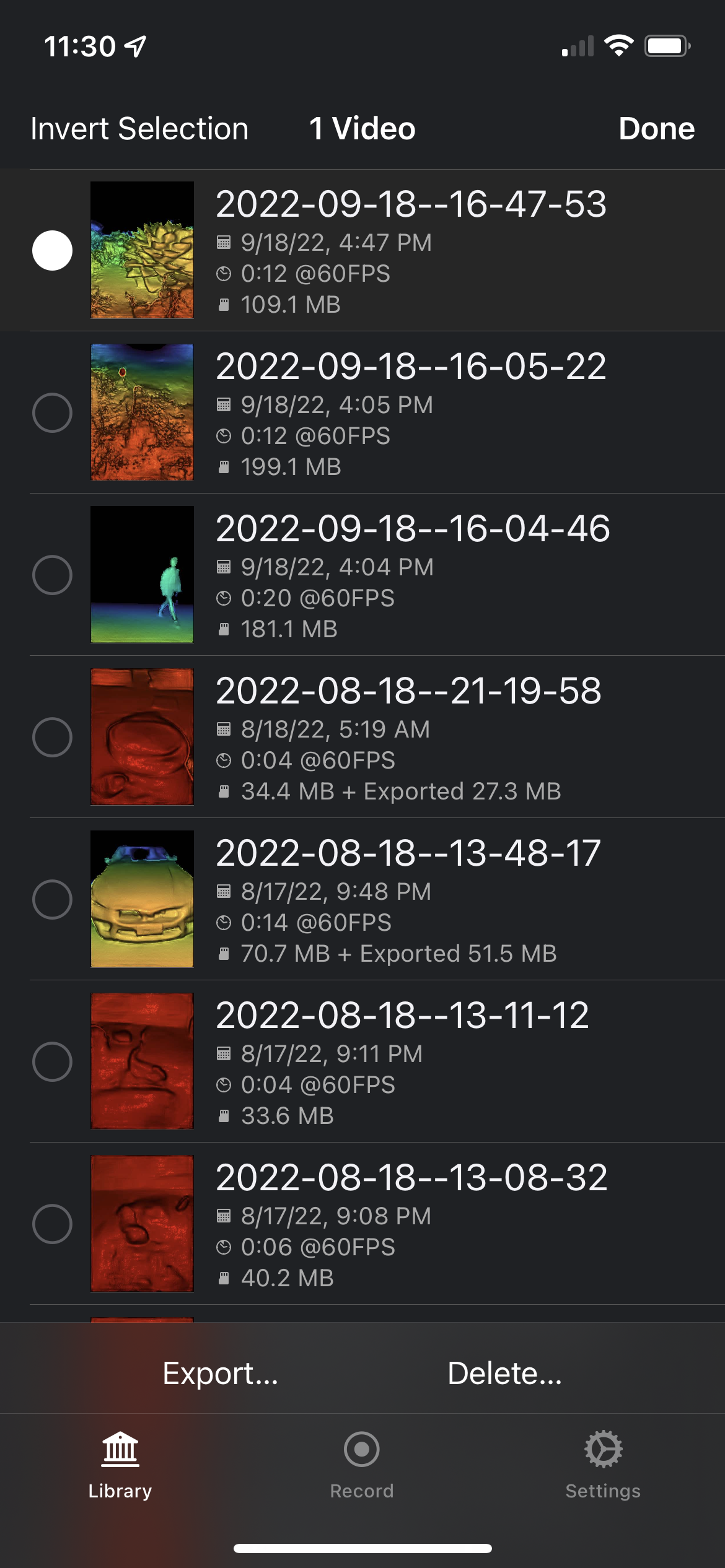
 2. Then, move the exported capture folder from your iPhone to your computer.
3. Train with nerfstudio!
```
ns-train nerfacto --data {RECORD3D_CAPTURE_DIR/EXR_RGBD} record3d-data
```
We provide some example recordings for you to try out and to see the correct formatting.
```shell
ns-download-data --dataset record3d
```
This will download data to `data/record3d/bear`. Then you can train, and don't forget to open up the viewer.
```shell
ns-train nerfacto record3d-data --data data/record3d/bear
```